The Fastest Way to
Write & Preview Code
A powerful, real-time HTML, CSS, and JavaScript editor with instant live preview. No installation. No signup. Just start coding.
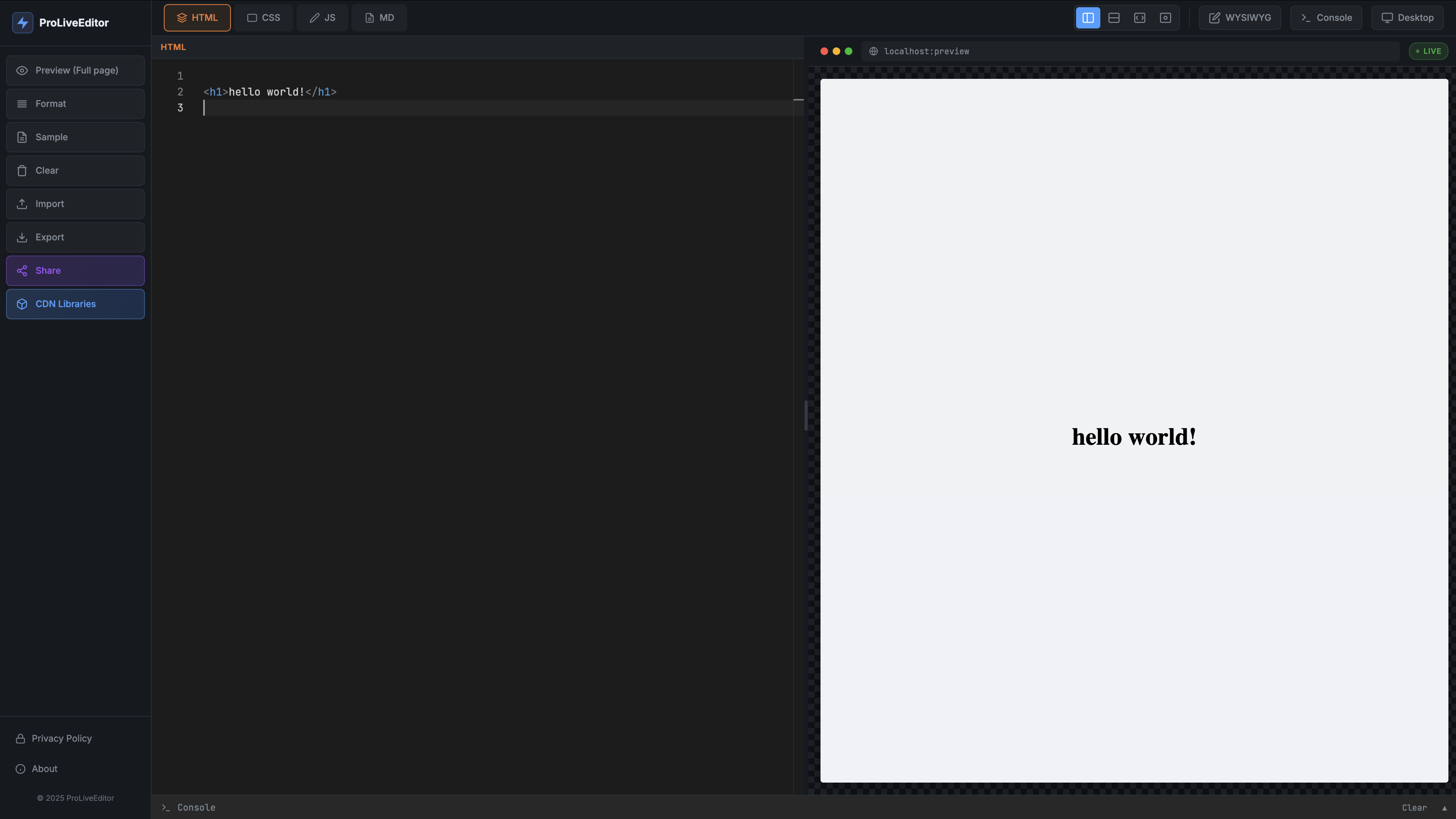
Everything You Need to Code
ProLiveEditor comes packed with features that make web development faster and more enjoyable.
Real-Time Preview
See your changes instantly as you type. No page refreshes, no waiting. Your code updates the preview in real-time.
Tailwind CSS Built-in
Tailwind CSS is pre-configured and ready to use. Just add utility classes and start styling immediately.
Monaco Editor
Powered by the same editor as VS Code. Get syntax highlighting, auto-completion, and all the features you love.
Responsive Preview
Toggle between desktop and mobile views to test your responsive designs without leaving the editor.
Auto-Save
Your work is automatically saved to local storage. Close your browser and come back — your code is still there.
Share & Export
Share your code with a unique URL or download it as a complete HTML file ready for deployment.
100% Private
All code runs locally in your browser. We never store or transmit your code to any server.
Console Output
Built-in JavaScript console captures logs, warnings, and errors. Debug without opening browser DevTools.
Import Files
Drag and drop HTML files or import existing projects. The editor automatically parses and separates your code.
Built for Every Developer
Whether you're learning, prototyping, or collaborating, ProLiveEditor adapts to your workflow.
Learning HTML/CSS/JS
Perfect for beginners learning web development. Experiment with code and see results instantly.
Quick Prototyping
Rapidly prototype ideas without setting up a development environment. From concept to code in seconds.
Code Sharing
Share code snippets with colleagues or students. Generate a unique URL and collaborate instantly.
Testing Components
Isolate and test individual components. Perfect for debugging or trying out new CSS techniques.
How It Works
Get started in seconds with our intuitive editor.
Write Your Code
Type HTML, CSS, or JavaScript in the editor. Switch between languages using the tabs.
See It Live
Watch your code come to life instantly in the live preview panel. No refresh needed.
Share or Export
Copy a shareable link or download your project as a complete HTML file.
Frequently Asked Questions
Everything you need to know about ProLiveEditor.
Is ProLiveEditor free to use?
Yes, ProLiveEditor is completely free for personal and commercial use. No account required, no hidden fees.
Is my code saved automatically?
Yes! Your code is automatically saved to your browser's local storage. Even if you close the tab, your work will be there when you return.
Can I use external libraries?
Absolutely. You can include any external CSS or JavaScript library by adding CDN links in your HTML. Tailwind CSS is already built-in.
Is my code private?
Yes. All code processing happens locally in your browser. We never send your code to any server. Your work stays on your device.
Can I share my code with others?
Yes! Click the Share button to generate a unique URL. Anyone with the link can view and edit a copy of your code.
Does it work on mobile devices?
While the editor works best on desktop, you can use it on tablets. We also provide a mobile preview mode to test responsive designs.
ProLive Premium
Take your coding to the next level with cloud storage, private projects, and more.
Be the first to know. No spam, ever.
Ready to Start Coding?
Join thousands of developers who use ProLiveEditor every day.
Open Editor — It's Free